
Role
Lead Designer
Timeline
Platform
Web, mobile
Responsibilities
Overview: Designing for the future of self-service
Companies tend to think of self-serve in terms of channels instead of identifying a customer pain point and then creating, curating or aggregating content around that pain point. We did this at LastPass as well.
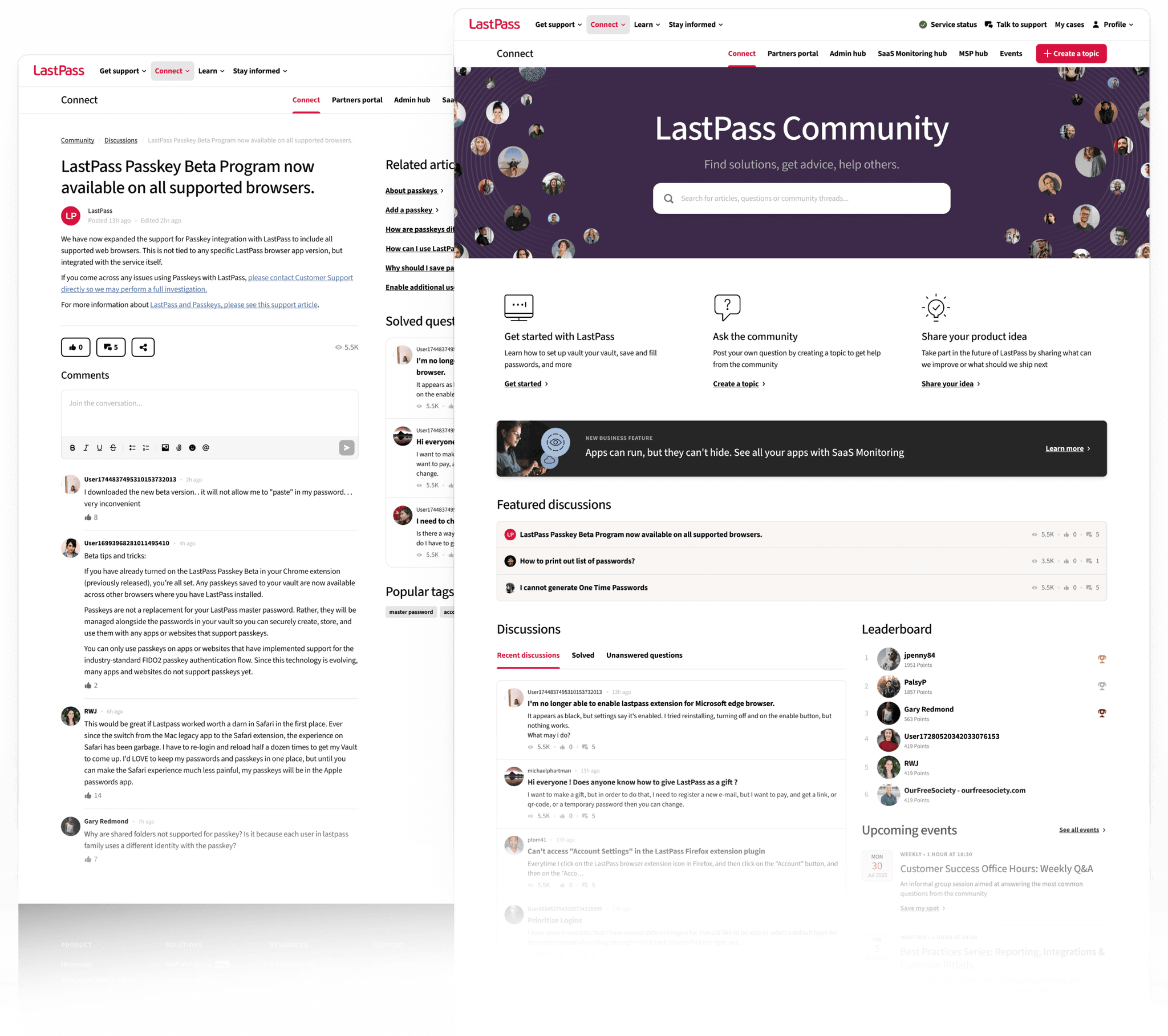
However, we also wanted to do this better to create a central front door to all our self-service channels, such as University, Community, Knowledge Base, Chatbot, Enablement, Training Videos, and more, while providing a common UI and UX that aligns with the company’s brand.
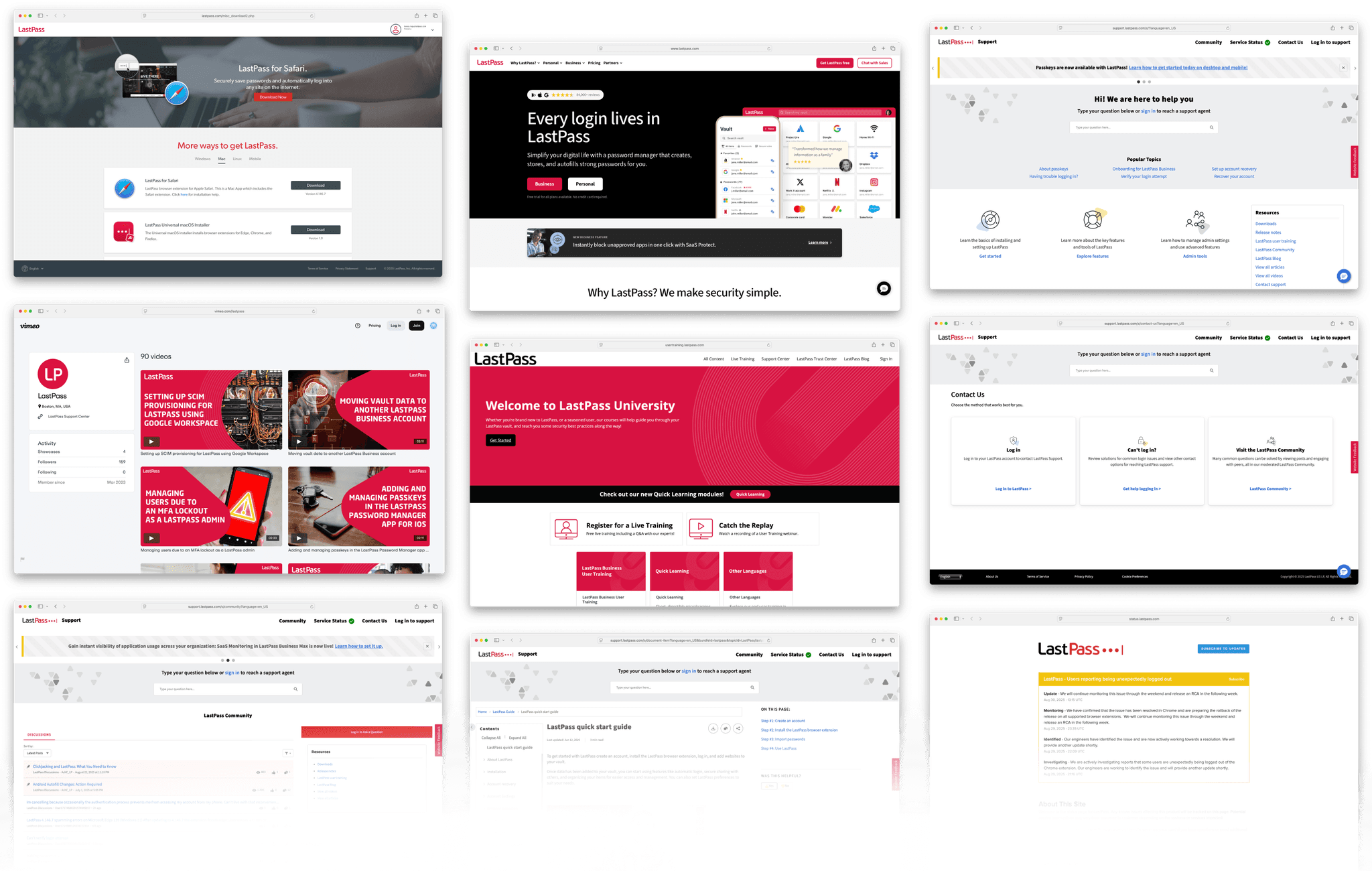
LastPass had their Help Center in totally different platforms – the community, training, tutorials, downloads were not integrated, causing frustration when it comes to navigating between these pages. Users also complained about the outdated interface, making it harder to find their needs.
Setting up goals as a rock solid foundation
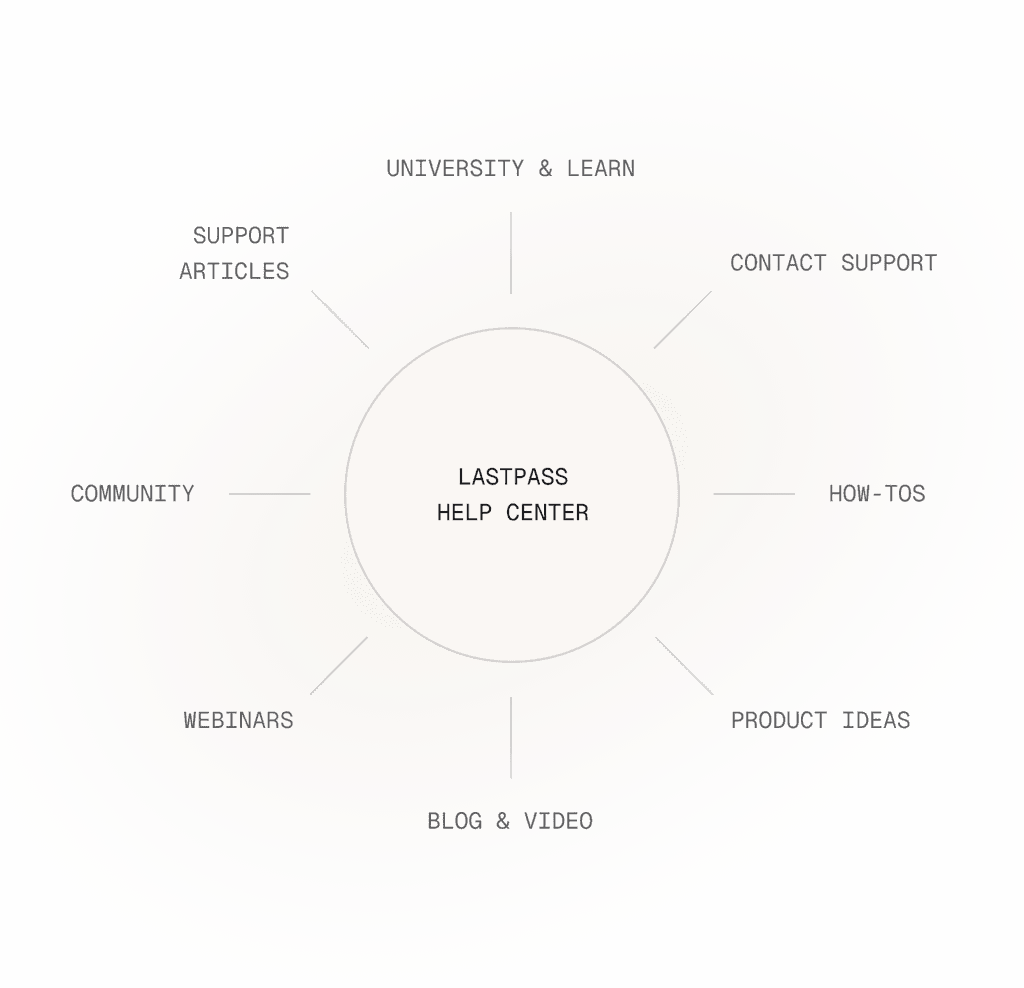
In the beginning, we analyzed our capabilities and opportunities in order to set realistic goals. Although we had to reduce the scope, these goals will function as an origo in the long-term to be consistent and innovative.
Enhance discoverability
It will surface the most relevant resources based on customer needs, reducing time spent searching for answers.
Provide personalization & AI integration:
Customers will receive tailored recommendations based on their previous interactions, product usage, and common support inquiries.
Create seamless escalation path
If self-serve resources don’t resolve an issue, the Hub will guide users to the next best step.
Aim for content consistency
Establish LastPass Hub cross-functional editorial team to ensure LastPass’ customer-facing content aligns with business goals, is consistent, and maintains high standards.
Continuous improvement and experimentation mindset
Leverage analytics and customer feedback to refine content and improve usability over time.
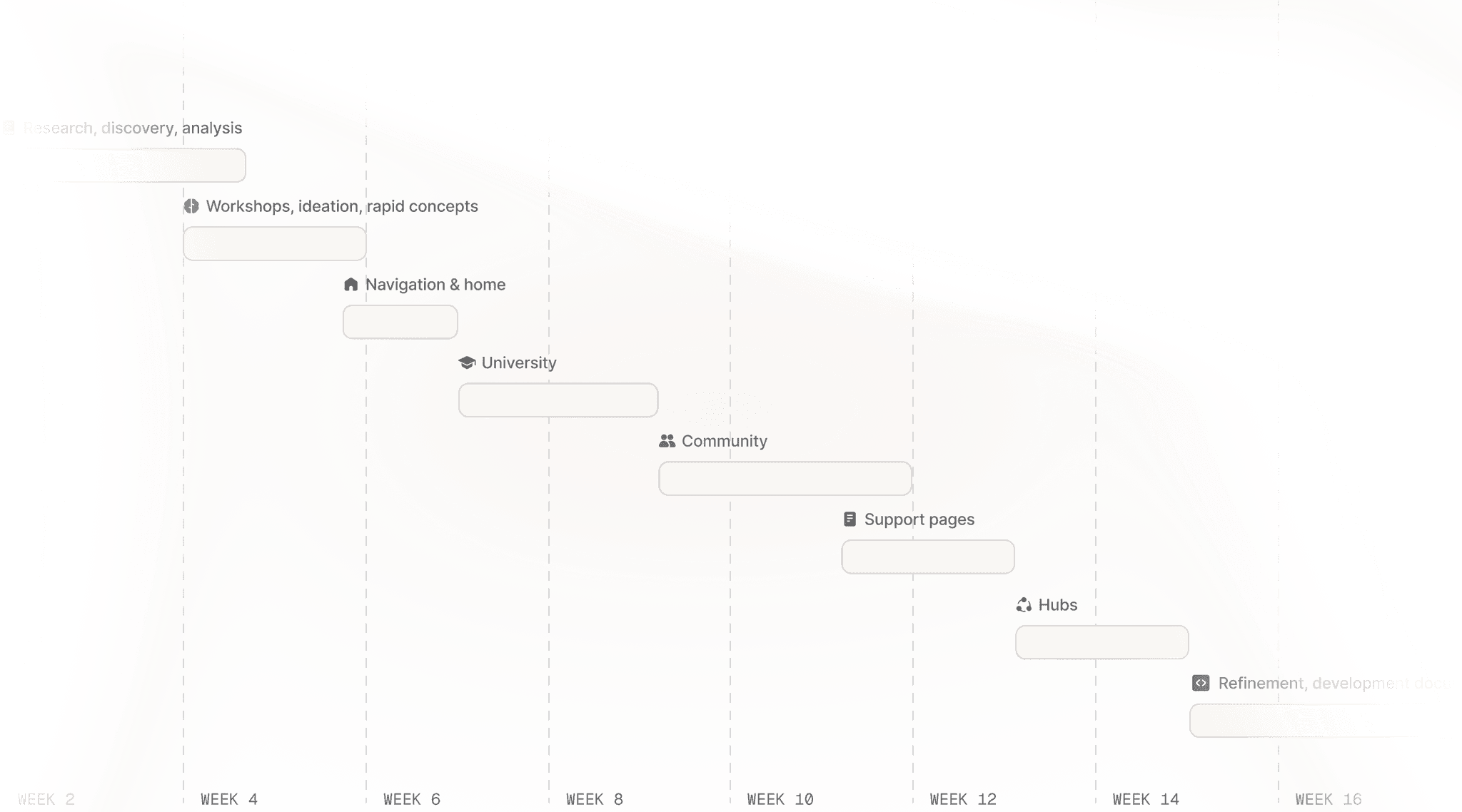
Timeline: Always moving, while validating designs
As we could see previously, the Help Center experience contained various types of sites, that needed to be improved. In order to be able to move fast and iterate quickly, we decided to create the different type of sites continuously –once a site was done, we tested it, iterated on it, and moved to the next one. This method worked well.
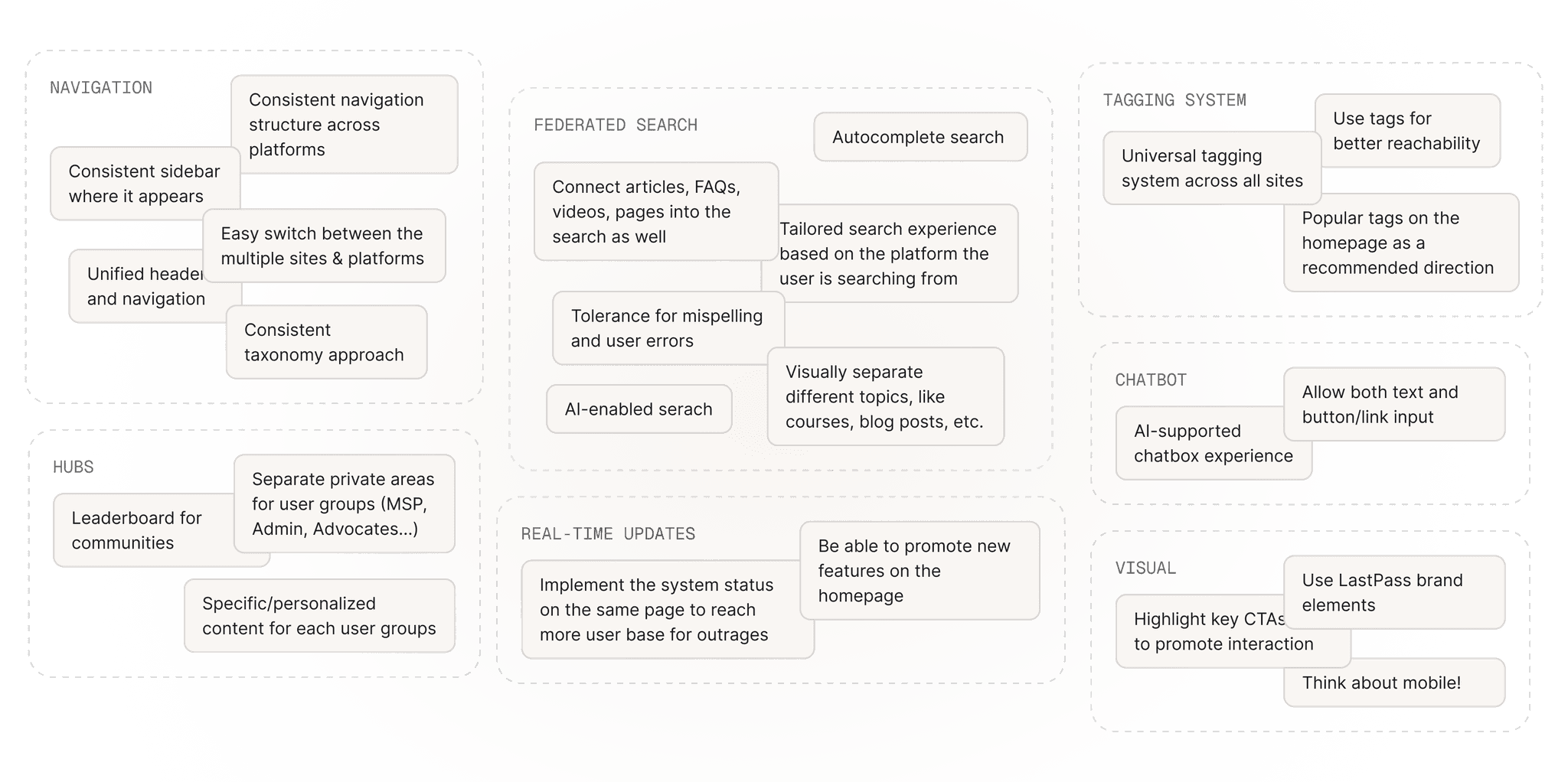
We worked together with the Director of Self-Serve to map out our opportunities: what can we do to improve the experience. These were broken down into categories to be able to follow it along the way. We learned that we need to tackle this problem from multiple ends to create a seamless self-serve experience that can solve the user needs.
In-depth product overview: Analyzing our own sites
I conducted a product overview, where I analyzed all of the sites from a product perspective, collecting all of my questions (that needed to be answered from capability and development perspectives) and ideas as a first experiment to connect the opportunities to real screens. This analysis went into a collaborative ideation session, where we added new ideas back and forth based on our capabilities.
Information architecture workshop
One of the most challenging undertaking was to decide on the information architecture of the site: we conducted a workshop where we discussed the pros and cons and grouped the features based on 6 IAs methods. We reduced these into the best 2 types of IAs, which we felt were the best for our use cases: Feature-based, which was our current method, grouping the sites based on our traditional features. The other was task-based, which is what users are trying to do, like manage access, learn something or get support.
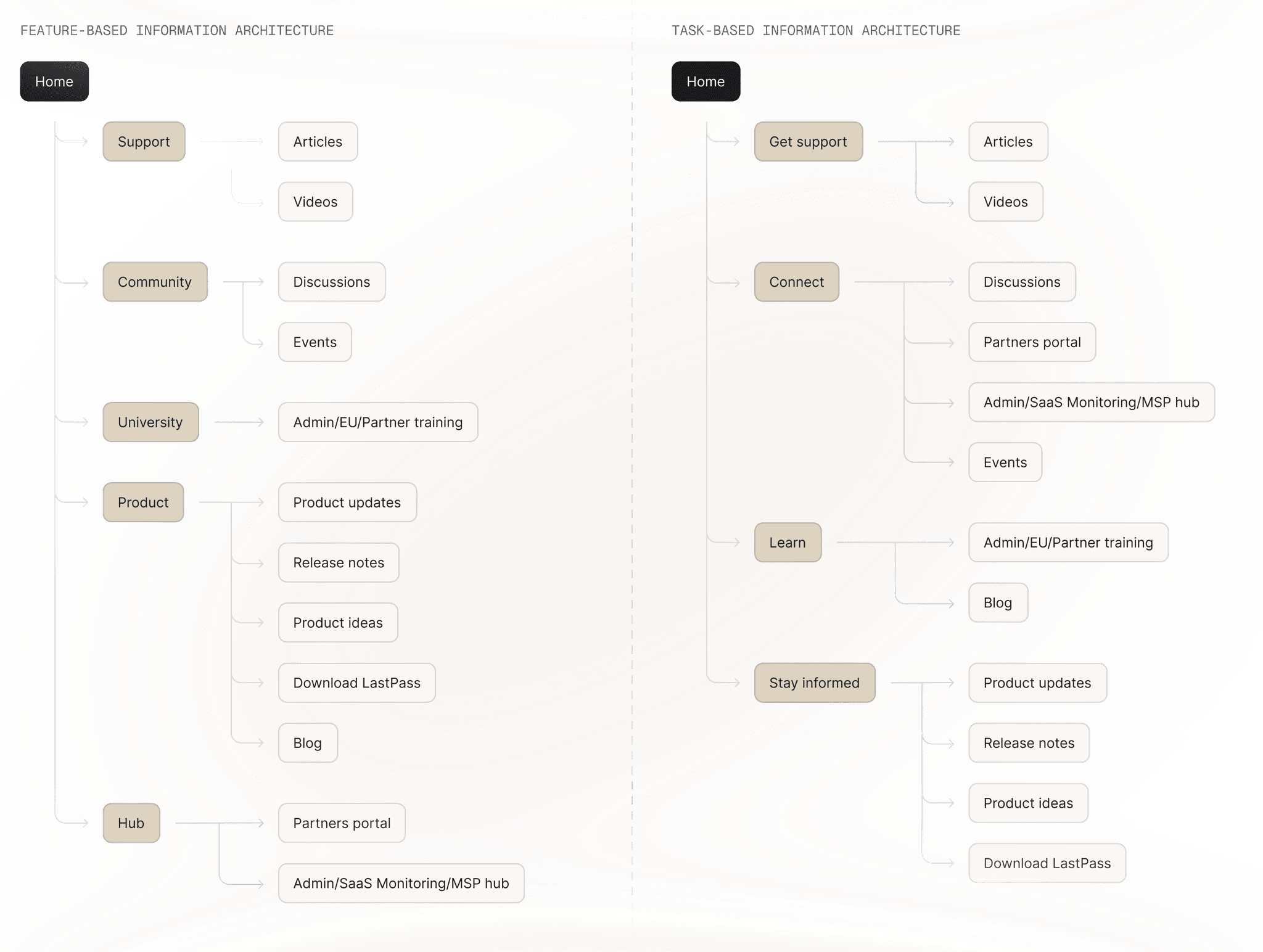
We were not sure... so we tested it
We conducted a user testing for the navigation in order to see what is the preferred version by the users.
This testing was not only great to see if they can find something, but to see how they think when they are facing with a real use case like “Show us where you'd suggest a product idea.”
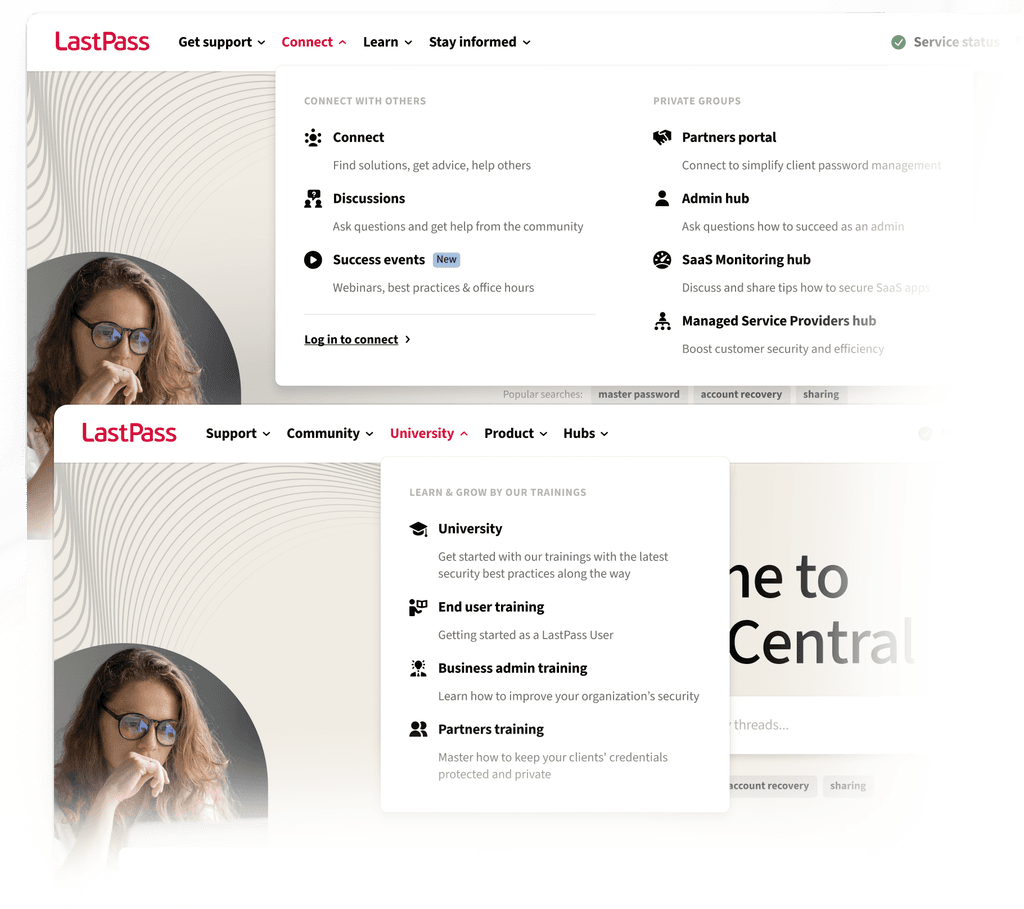
Test results: Lot of insights with small differences
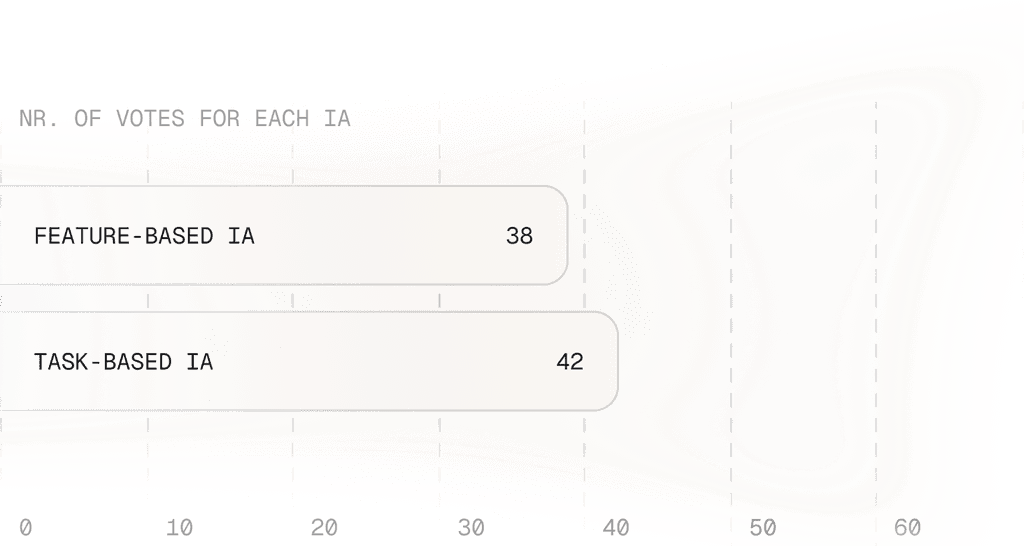
During the test, we asked 40-40 participants to evaluate two versions of the new support pages in an unmoderated manner. The main difference between the designs was the top navigation bar.
The test did not show a dominant preference for one navigation option over the other. Both options performed well, and participants were able to find the relevant menu items, however we saw a bit more vote on the task-based information architecture.
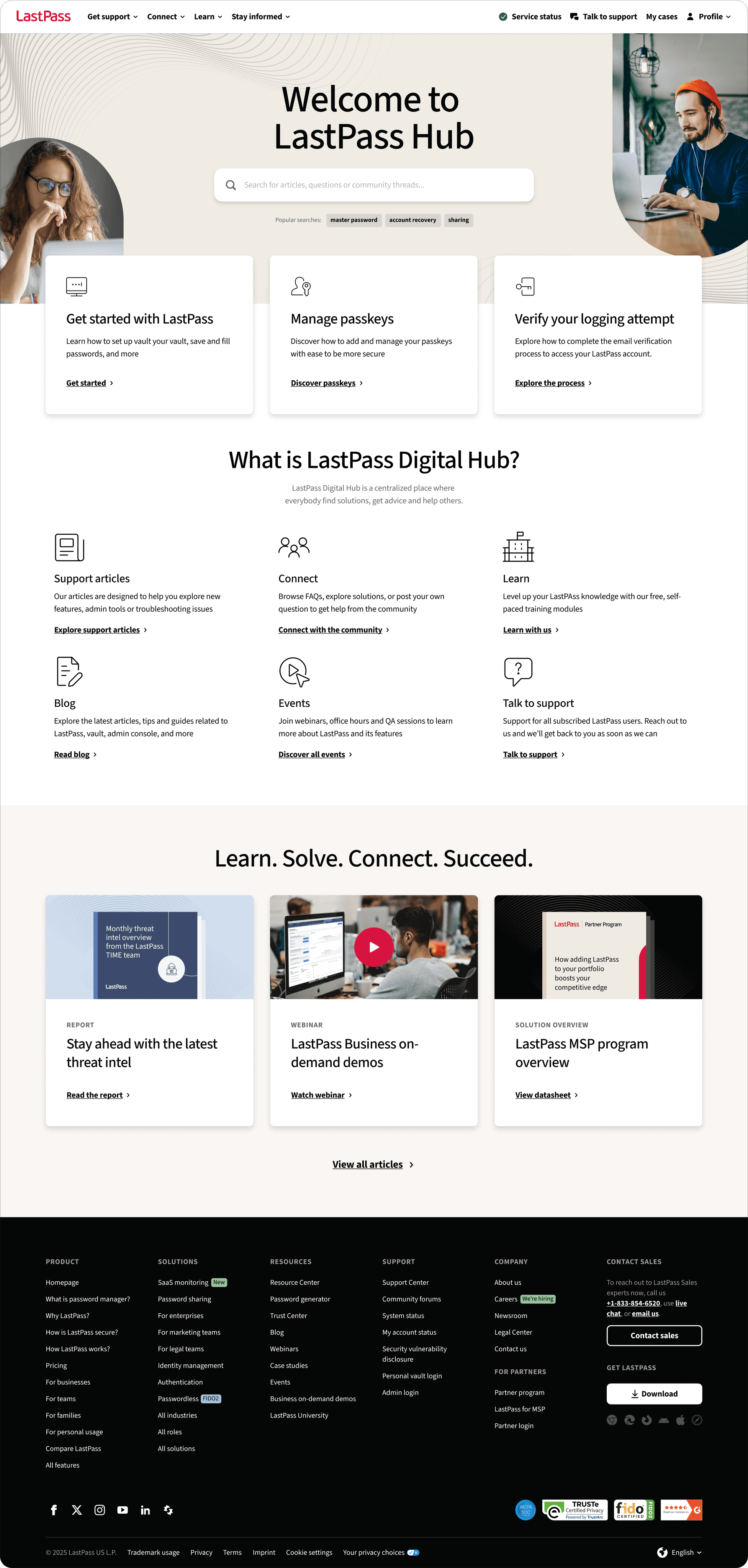
Another insightful result was that users – when it comes to support sites – prefer search rather than navigation, moreover prefer finding content right away on the homepage. That’s why we decided to focus more on the content strategy on each pages to build up a consistent experience for the users.
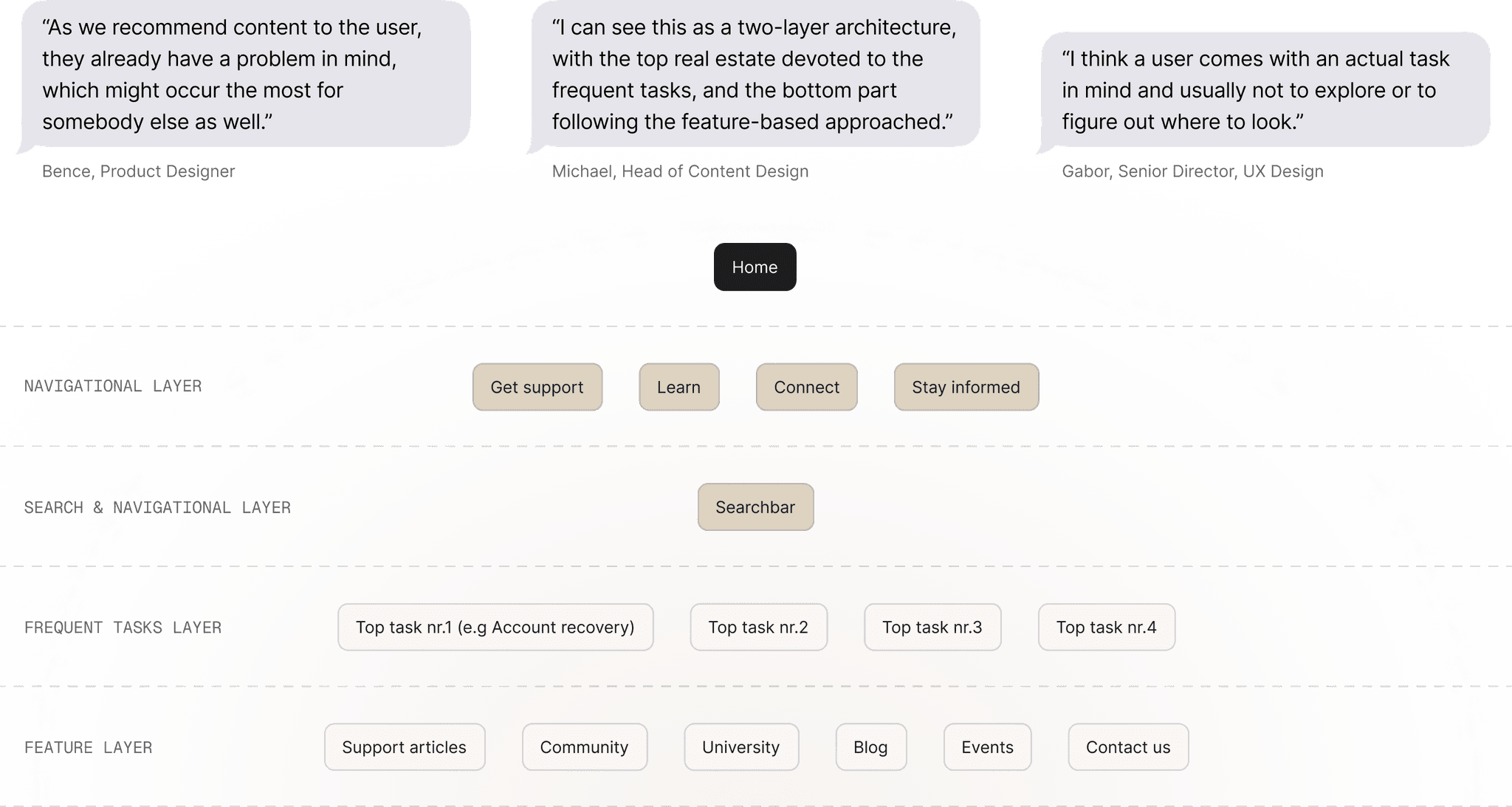
Content strategy: Hybrid approach for the most use cases
Once we were set with the information architecture, we also had to decide on our strategy to display information on each page to create a consistent experience. It was valuable to see how we can tailor our sites to the IA while remaining easy to understand and helpful for the users.
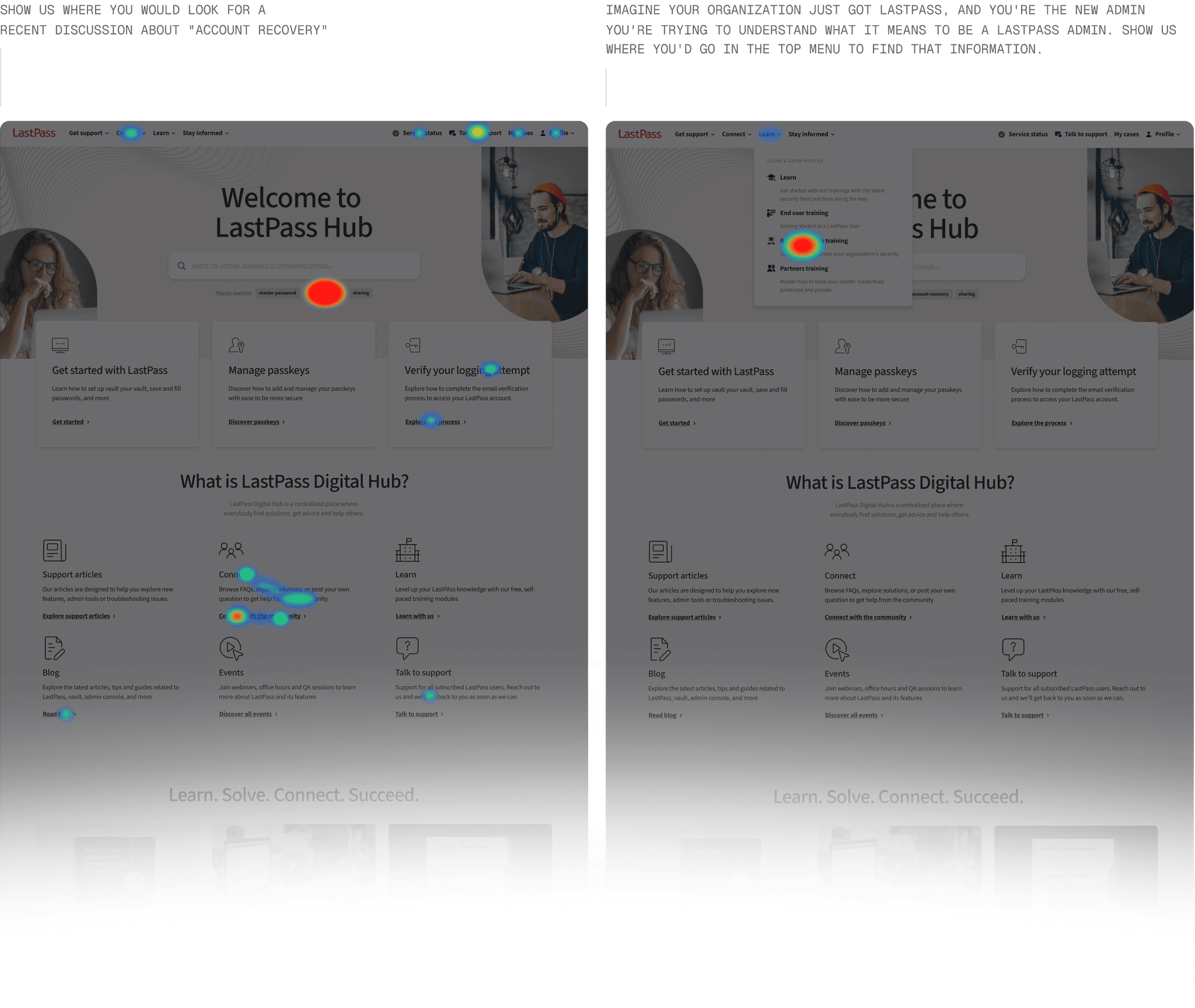
Heatmap testing: Find relevant items right away
In parallel to the navigation, we did a testing session for the homepage as well to see how the users find something on the page. As I mentioned, we could see that the users are more likely to scroll (if we are not giving them specific instructions) rather than use the navigation. That is why it was key to display tags or dynamic, top tasks right away.
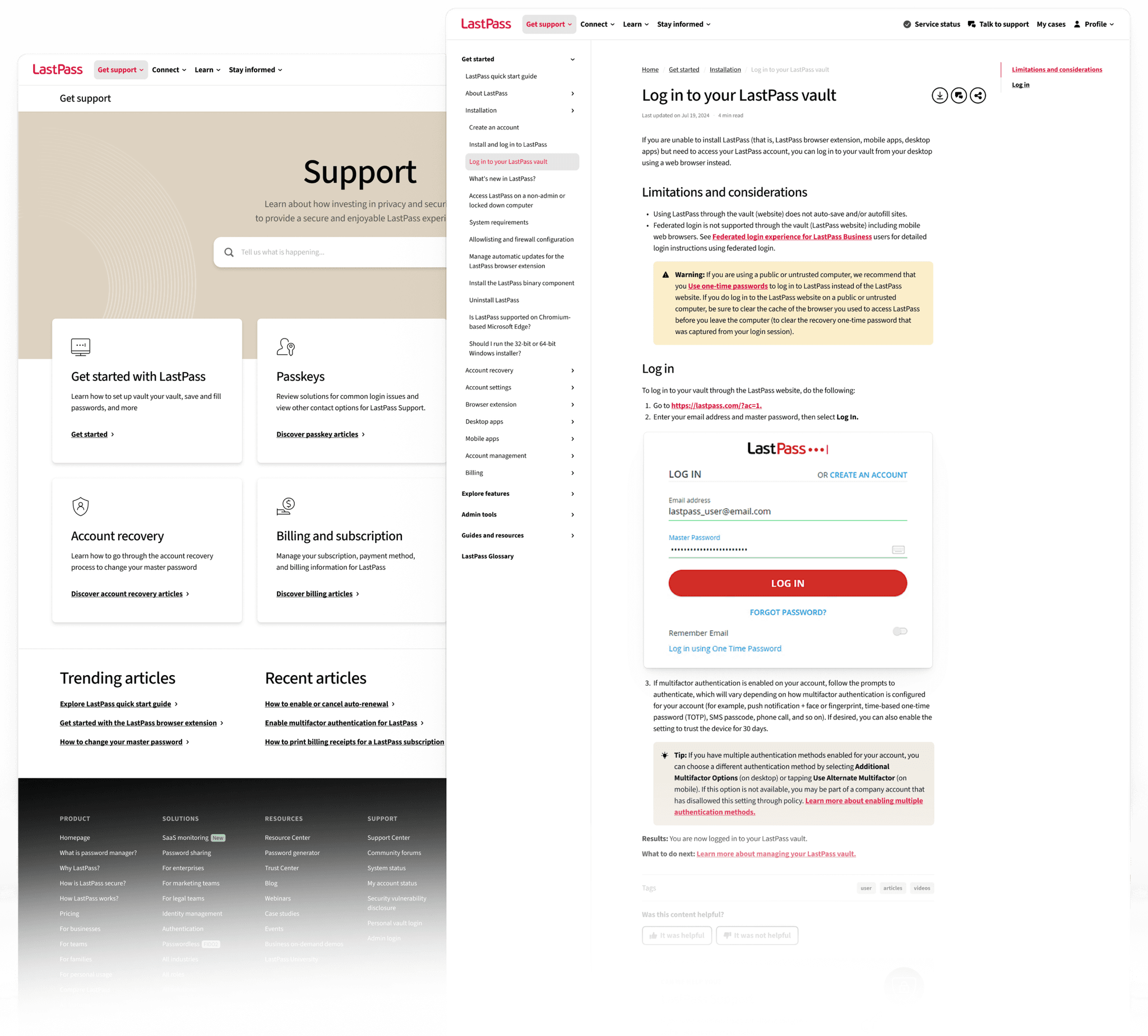
Get support: Building great knowledge base content
We knew that to be able to reduce the number of support tickets, we need to establish great, informative support articles. Also, because more and more people use AI Search to ask for something, we followed the following principles to build up the get support articles.
Clearly state the problem or question it addresses
Offer step-by-step instructions or answers in plain language
Create seamless, commonly experienced escalation path
Use headings, bullets, and formatting for easy scanning
Anticipate follow-up questions related to the problem
Reflect the product’s voice and remain calm and supportive
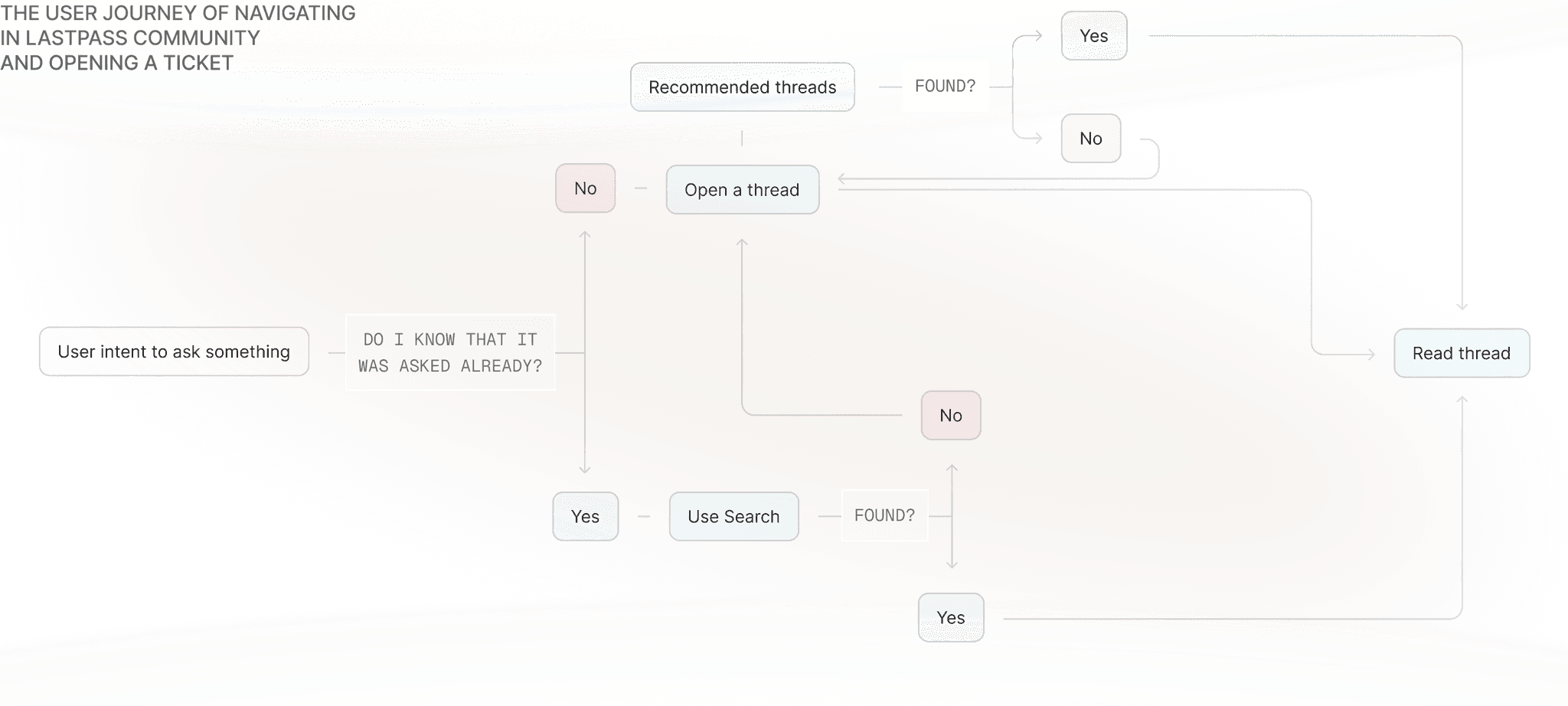
Help bringing communities together
If the user does not find something in the support articles or has other question, they often turn to the power of the community, so it was important to understand first, how they behave when they have this intent. This page was the most limited to our external partner, Gainsight, who provided the infrastructure behind the community page.
University: Learn
and grow with
pre-made trainings
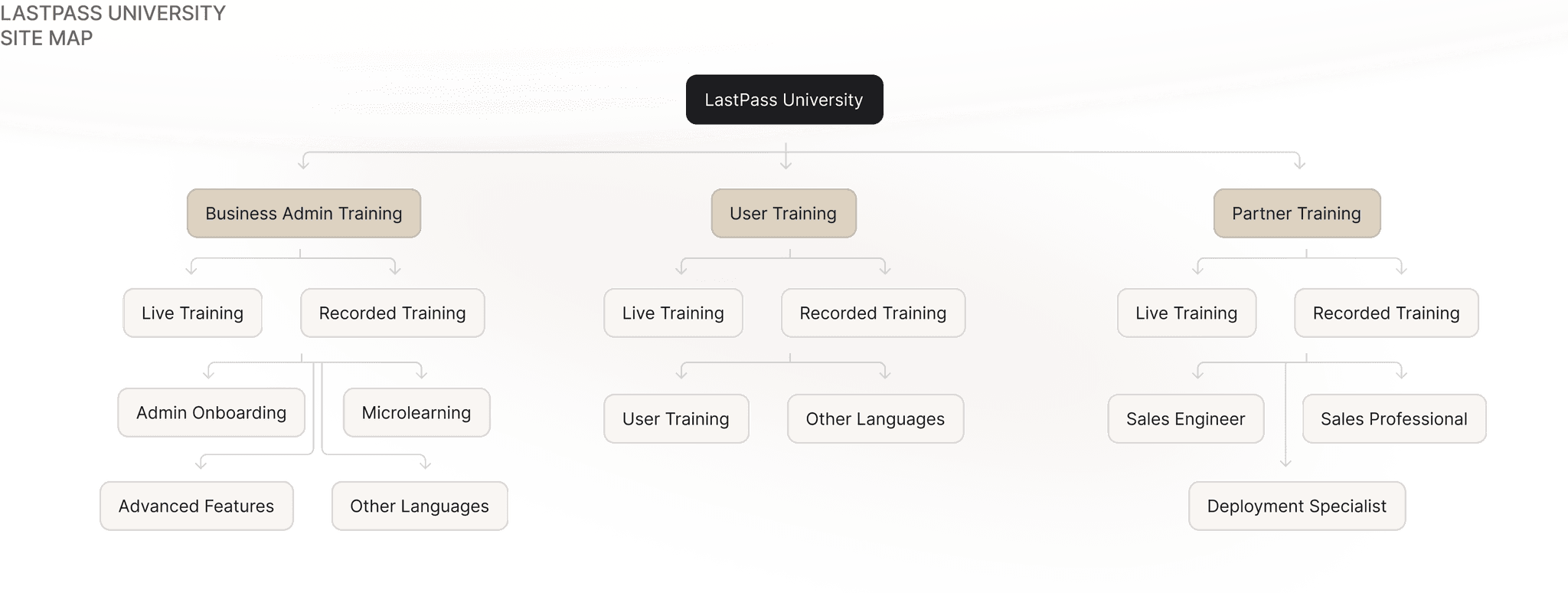
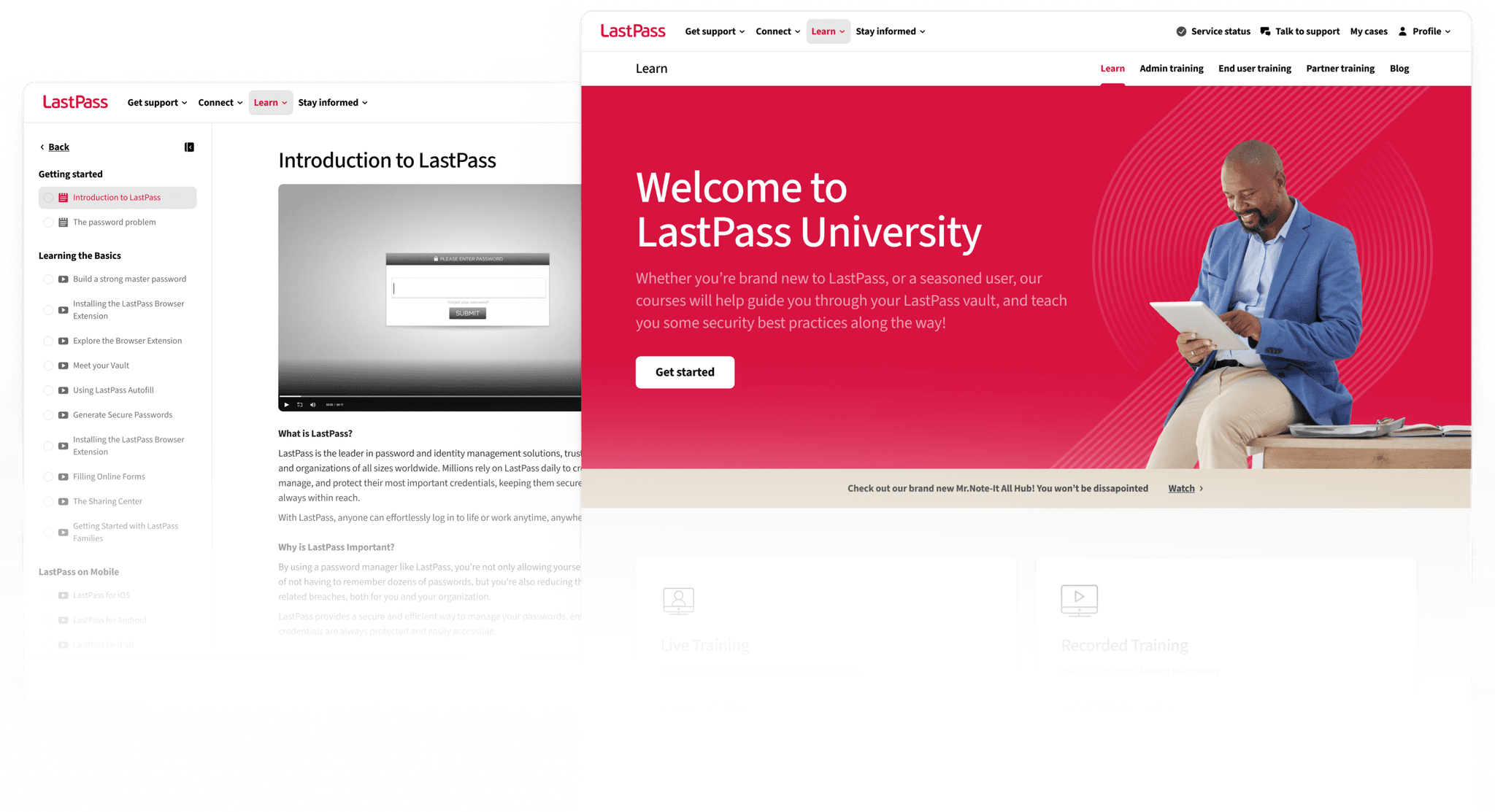
When it comes to onboarding new users in a company, whether it is B2B or B2C user, it is important to have a go-to-place where they can learn about security and LastPass. The content structure was built by our customer support team, but we supported them with a refreshed site that reflects their pain points of scalability, scannability and structure.
Hubs: Optimizing the structure for LLMs and AI Search*
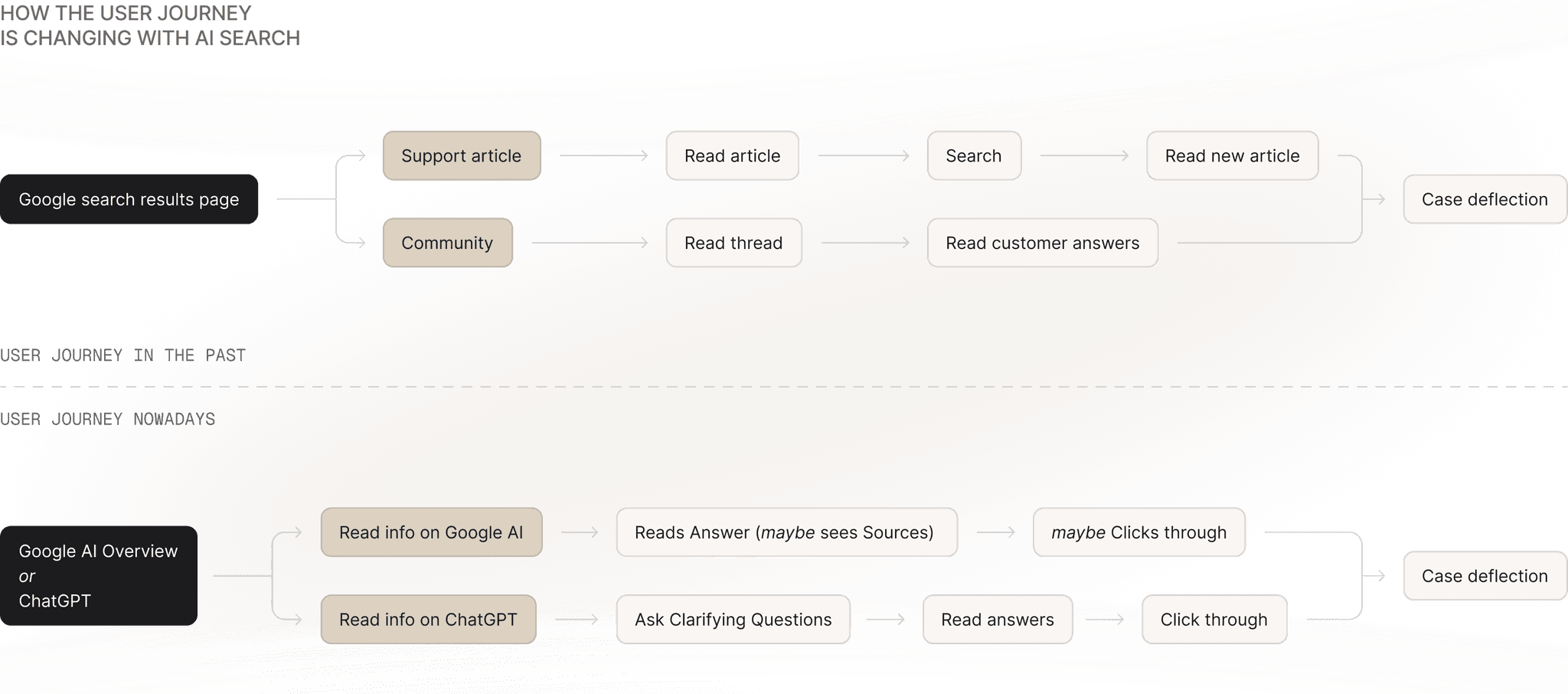
*Why does this help? We saw that AI Search, specifically Claude, Perplexity, ChatGPT and Google AI Overview heavily relies on collective sites, where they can access all of the information as once, rather than different threads or articles that are more inaccurate and not trustworthy for LLMs.
At LastPass, we constantly study AI and how it forms the life of our users. We started to see a recurring pattern: help center sites are facing with decreased number of views because the users are relying on AI answers, modifying the traditional user journey. Besides the fact, that similar types of people like to be connected (think of Reddit, Quora), the changing user journey was the reason to build Hubs: a collective experience for some of the user groups, where they can learn about their specific use cases and connect with each other by private groups as well.
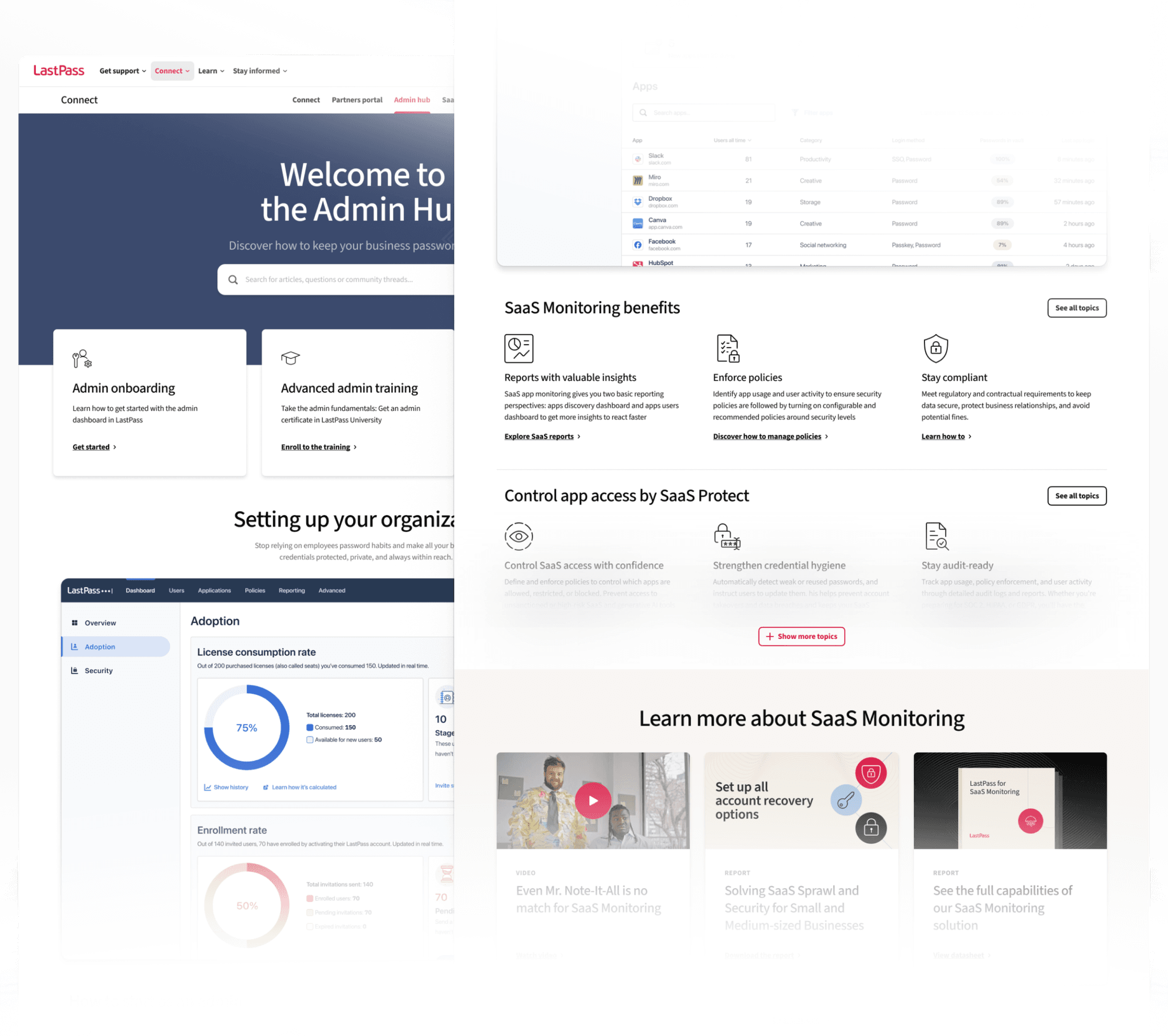
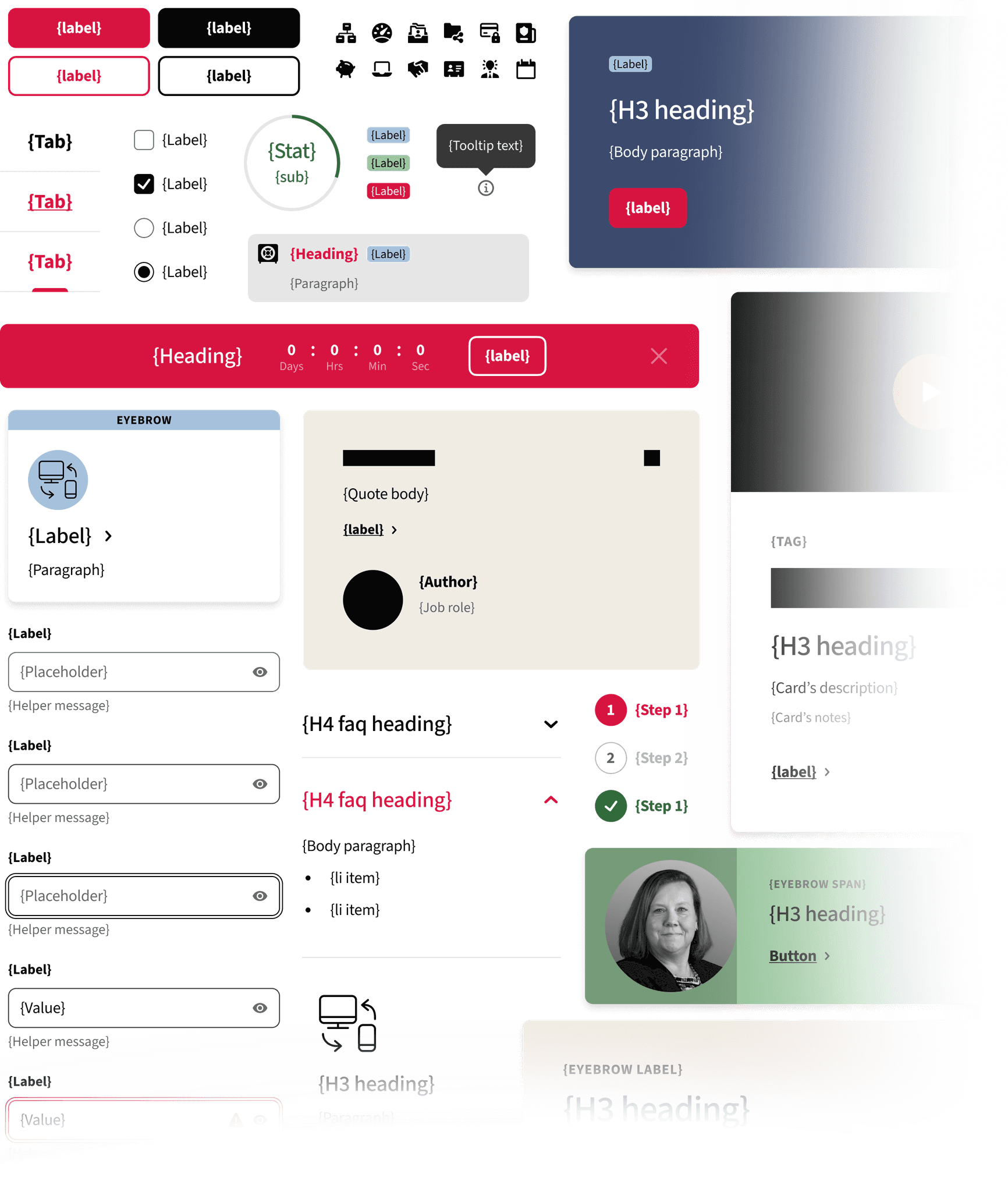
We used the same design system that was built for the Web Experience across every lastpass.com channel. This contained the visual updates that were made in 2023. We also modified or created new components to tailor it to our needs, which can function as recurring patterns across the sites.
Feedback and future opportunities
The project was set into smaller chunks for multiple teams of the organization and we are currently them to successfully ship the project in early 2026. Although we received positive feedback from customers in user testing sessions and interviews, we already see a couple of opportunities where to move forward such as AI-enabled search across the platforms, universal profile experience with rewards, prizes, or integrating a secure, personalized chatbot experience.
We, as designers, often just get the user feedback of what we should improve, but this project helped me understand what the users are going through until they are recommending something – how they search, behave and connect with others by using the same product.
This was also an excellent project from a collaboration point of view, because I had the chance to work with some of our key members from the customer support team, who gave us valuable insights regarding the ideal CX experience. This project taught me how to balance between external partners, and the innovative UX design